Intelligent UI: when the question becomes the interface
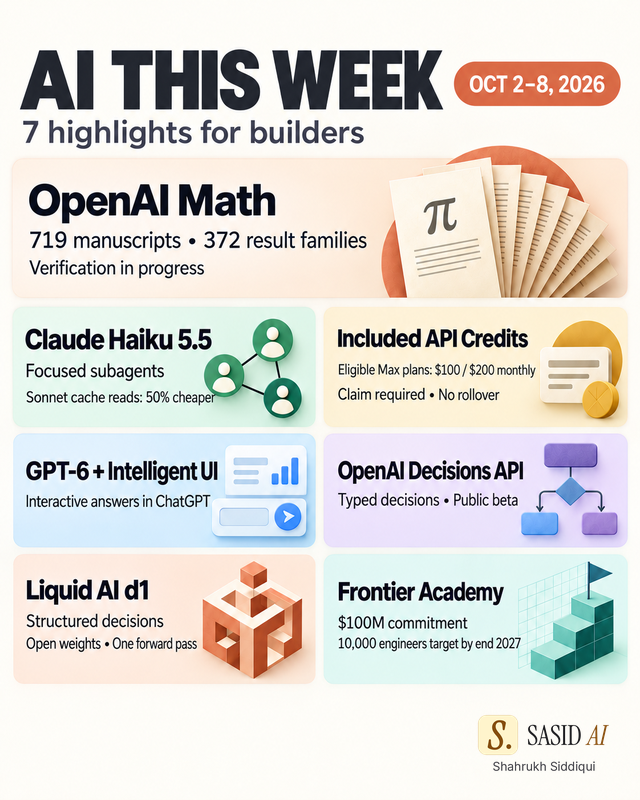
OpenAI's Intelligent UI points to answers with charts and controls. A Tiersel build shows why context, computation and evidence must stay separate.
TL;DR
- OpenAI's October 7, 2026 Intelligent UI announcement describes answers that can include visuals, buttons, forms, charts and interactive experiences.
- At Houston Hackathon 2026, I explored a related idea in Tiersel: let the question shape the view.
- OpenAI's UI and Tiersel are separate implementations. Tiersel uses Jev to choose views and deterministic code to calculate numbers.
- An intelligent interface still needs retained context, an approved next action and evidence a person can inspect.
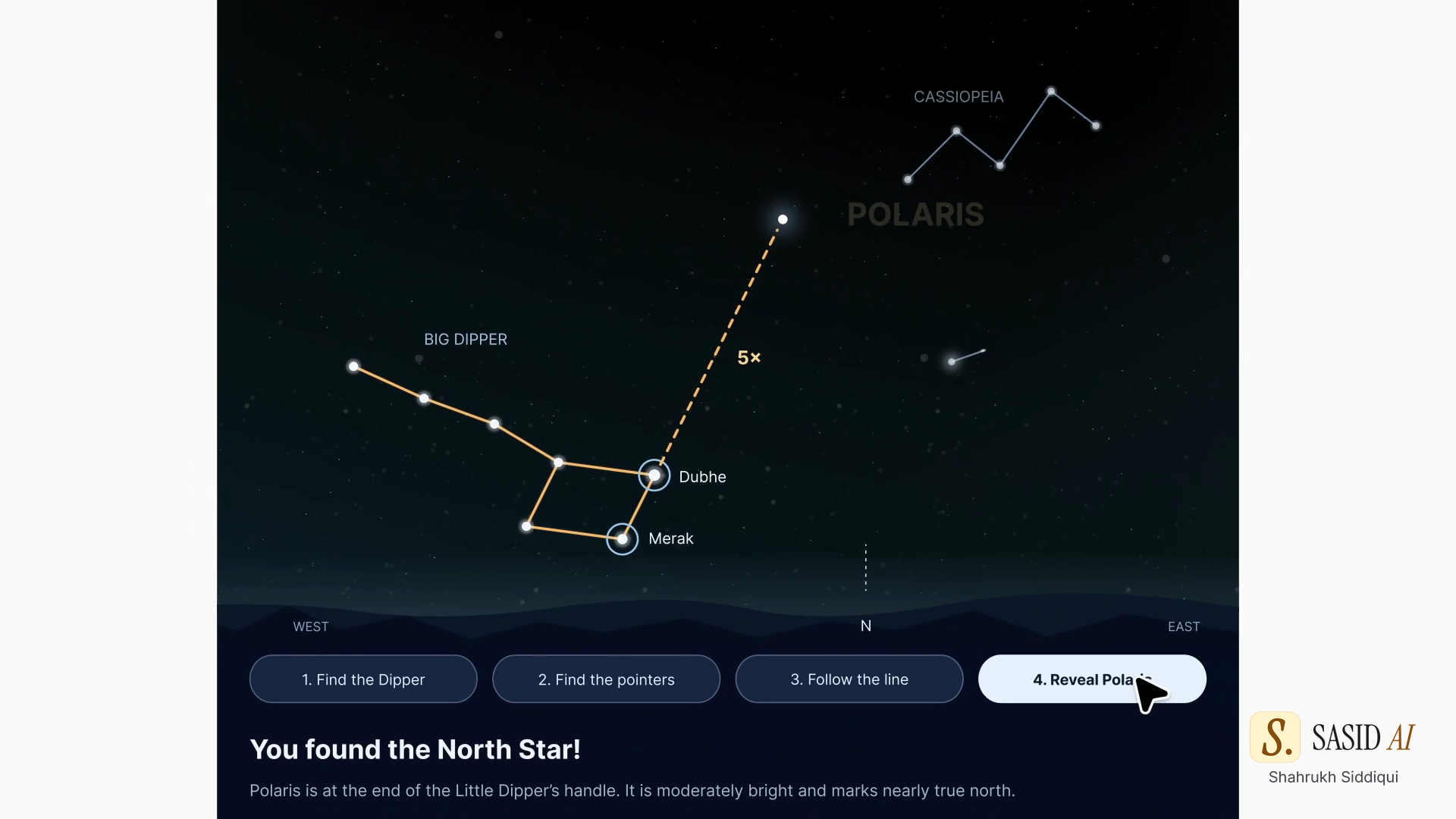
The next AI response may be a tool you can use instead of a paragraph you must translate. OpenAI's GPT-6 announcement puts a large spotlight on this direction. The official video shows a question about the North Star becoming an interactive guide with visual steps.
At Houston Hackathon 2026, I experimented with the same design question in Tiersel. A question about Houston 311 data could surface a map, trend, ranking or evidence table. A person could click a chart, ask a follow-up and keep the context of the exploration.
The relationship is conceptual. OpenAI's Intelligent UI and Tiersel are separate implementations. Tiersel does not claim to use GPT-6 or OpenAI's Apps SDK. Jev helps choose the view. Deterministic code calculates the numbers. The user can inspect the underlying records.
A question can select the view
Traditional software asks the user to choose a screen before it knows the question. A question-shaped interface reverses the order:
- Capture the user's intent.
- Identify the answer shape that would help.
- Choose a view with a bounded decision.
- Compute the values with a deterministic or otherwise inspectable path.
- Keep the question and the selected view together for the next step.
“Show complaints by neighborhood” may need a map. “Which neighborhoods changed most this month?” may need a ranked table and a trend. “Why did this value move?” may need the records behind the chart. The interface should make the next useful comparison easy.
The model can help choose the view, but it should not silently become the calculator. A generated chart that cannot point to the records behind its values is an attractive dead end.
Retain the exploration, not every token
Follow-up questions are where the design becomes an agent workflow. The next request should carry the selected dataset, filters, time window, view choice and unresolved question. It does not need to replay every earlier explanation.
That retained context also needs a boundary. If the user asks for a new metric, the system should say which source and calculation changed. If the model cannot find the required field, the interface should show the gap. If a person approves an action, the approval should attach to that action and its scope.
When the route changes from a view-selection model to a deterministic query or a different provider, the handoff should name the exact state. “Continue” is too vague. “Use the 311 records filtered to September, group by neighborhood, and compare with August” is reviewable.
Make the answer checkable
An interactive answer needs more than polished controls. It needs a way to inspect the result. For a chart, show the source rows or the query that produced the values. For a form, show the fields that will change and ask for approval when the action has consequences. For a recommendation, show the evidence and the uncertainty.
Agent's product direction treats the result in the same way. A terminal task can seal its actual output, current checks, time and qualified cost in a receipt. Source records for runs, artifacts and decisions remain separate. If a proof is missing or stale, the status stays Unverified. An interactive surface is useful when it helps a person see that boundary.
What to test in a question-shaped UI
Start with a small domain and a known data table. Declare the valid views and the calculations before the first run. Test ambiguous questions, empty results, conflicting filters and follow-up requests that change the unit of analysis. Check that a user can reach the underlying records in one or two actions.
Measure the completed task, not only the first render. Did the person find the right comparison? Did the route preserve context? Did the values match the source? Did the user understand what would happen before approving an action? A faster chart that leads to a wrong conclusion is a regression.
The best intelligent interface may feel simple because the difficult choices remain visible underneath. The question selects the path, the code computes the result and the evidence lets a person decide what to do next.
Sources and related reading
The source event is my October 8 LinkedIn post. It includes OpenAI's complete original clip followed by the separate Tiersel Houston demo.
- Decision models play each other
- Jev vs Claude Haiku and Sonnet as a router
- Liquid AI d1 decision models
- SASID service companion: Intelligent UI and the Houston hackathon
For the workflow behind retained task state and inspectable results, start with the Agent overview.